IGT CRYSTAL RAM CLEAR
1. Open cage and reboot
2. Hold button when prompted
3. Ram Clear
4. Follow onscreen instructions
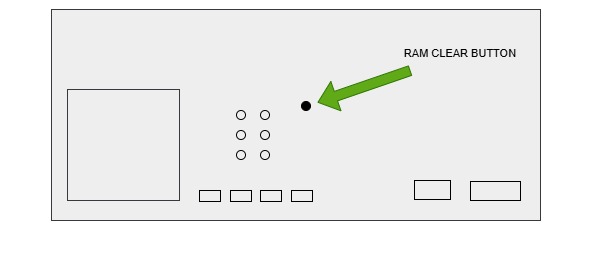
HELIX RAM CLEAR
1. Remove Game Card
2. Replace with Ram Clear Card
3. Reboot with cage open
4. Follow onscreen instructions
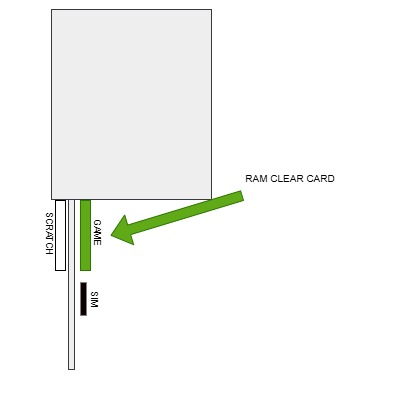
MARS X RAM CLEAR
1. Remove Game card
2. Replace with Ram Clear Card
3. Reboot with cage open
4. Follow onscreen instructions
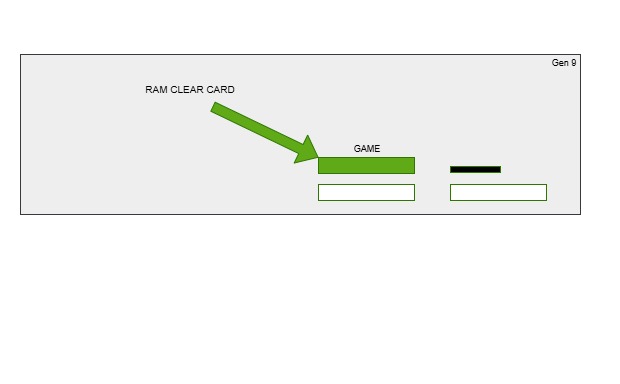

DUALOS X RAM CLEAR
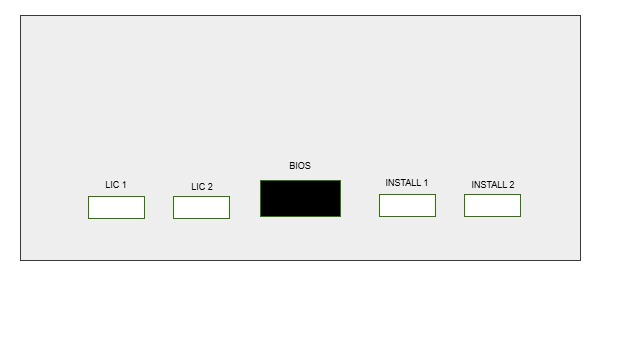
FACTORY RESET
1. Insert BIOS, INSTALL USB & Blue dongle
2. Reboot with cage open
3. FACTORY RESET
4. Insert GAME + JURISTICTION USB (all USBs)
5. INSTALL all modules
6. Clear NVRAM
RAM CLEAR
1. Remove Install, GAME & JURISTICTION USB's
(only bios + blue dongle fitted)
2. Reboot with cage open
3. RAM CLEAR
4. Follow onscreen instructions to setup
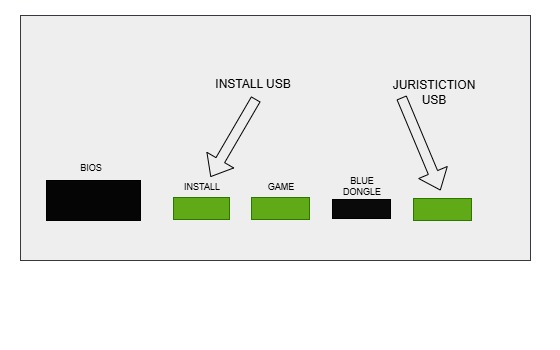
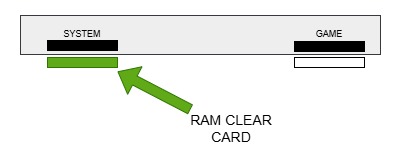
CONCERTO RAM CLEAR
1. Insert Ram Clear Card
3. Reboot with cage open
4. Follow onscreen instructions
DIMENSION RAM CLEAR
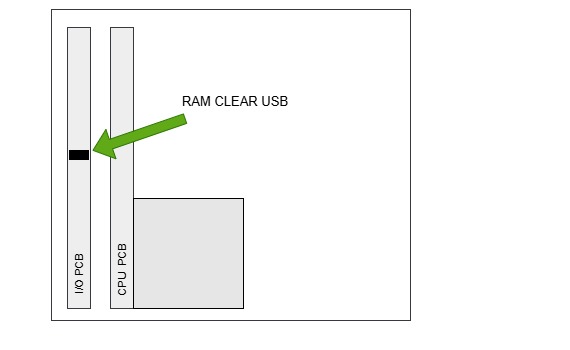
1. Insert Ram Clear USB into I/O pcb
2. Reboot
3. Follow on-screen instructions
MOJO RAM CLEAR
MOJO RAM CLEAR PROCEDURE:
1. Power off the machine
2. Open the cabinet door
3. Locate the RAM clear button on the CPU board
4. Press and hold the RAM clear button
5. Turn power on while holding button
6. Release button when clear screen appears
7. Enter required setup options
8. Save configuration
9. Close door and verify operation
